Plz dont forget my avocado
Every time I order at Crave on the sixth floor of Paulson, I have to add a special note because the staff there always forgets my avocado. I really wish Grubhub could remember my note.
I always have to check on-site to see if anything is missing from my bowl, and I often end up going back to ask the staff to add what I need. Why is this job up to me? Can’t we let teachable machines do it? If there were a camera at Crave’s pickup area to scan each bowl from above and check for missing items, everyone would be much happier.
First attempt: Object Detection
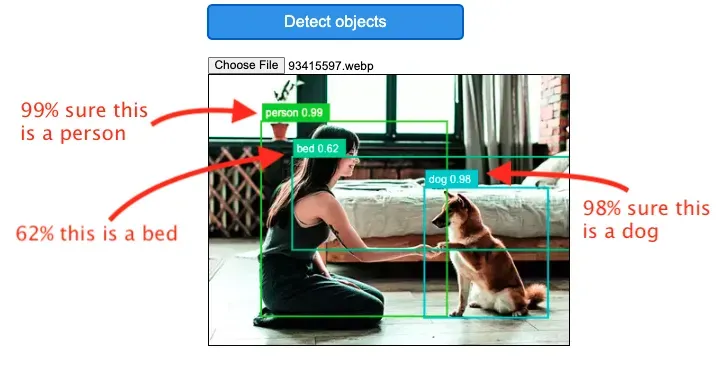
First I tried to look up how to use ml5 to implement COCO-SSD. Last class, we mainly covered image classification. The difference between these two concepts is:
1. Object detection not only provides a detection result and confidence level for an object but also gives a bounding box.
2. It can detect multiple objects.
I wanted to see if I can detect every ingredient in a bowl which would be logically clearer if there is an “avocado” object in the image.
Why COCO-SSD?
1. Because I used COCO in a previous cafeteria foot traffic detection project, and I really enjoyed our collaboration.
2. The requirements for this week specify the use of ml5 or Teachable Machine, and TensorFlow is restricted. Fortunately, ml5 includes this functionality!
3. There’s an amazing video by Dan Shiffman:
https://www.youtube.com/watch?v=QEzRxnuaZCk.
Testing
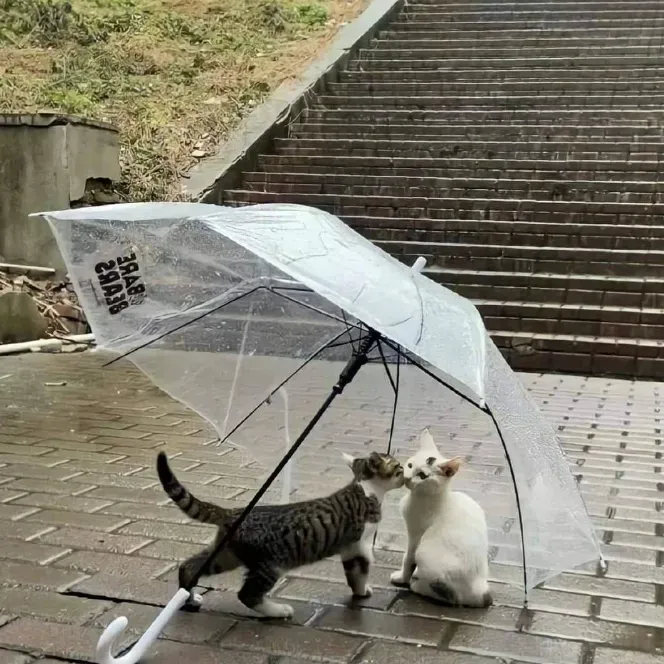
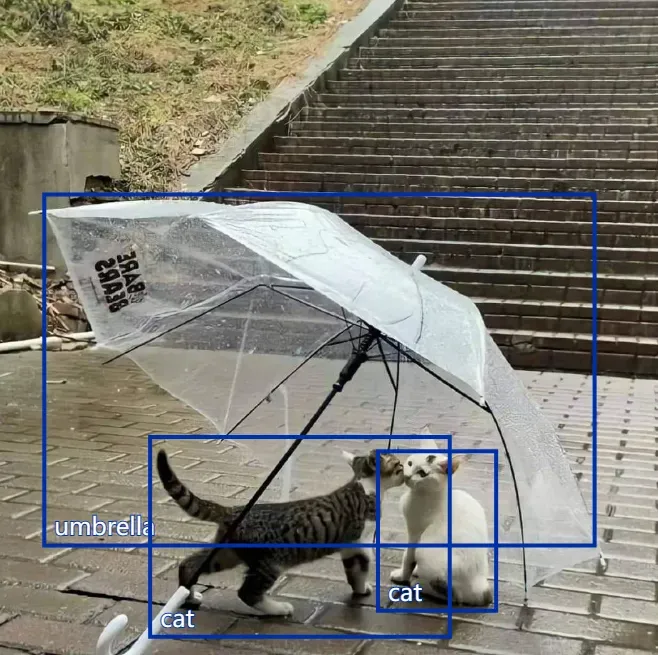
I found a cute little meme and wrote this code to see if i can incorporate cocossd into p5.js
let img;
let detector;
function preload(){
  img = loadImage('test.png');
  detector = ml5.objectDetector('cocossd');
}
function gotDetections(error, results){
  if (error){
    console.error(error);
  }
  console.log(results);
  for (let i = 0; i < results.length; i++){
    let object = results[i];
    stroke(0, 47, 167);
    strokeWeight(4);
    fill(255, 255, 255, 0);
    rect(object.x, object.y, object.width, object.height);
    strokeWeight(2);
    fill(255, 255, 255, 255);
    textSize(24);
    text(object.label, object.x + 10, object.y + object.height - 10);
  }
}
function setup() {
  createCanvas(img.width, img.height);
  image(img, 0, 0);
  detector.detect(img, gotDetections);
}
It works out well!
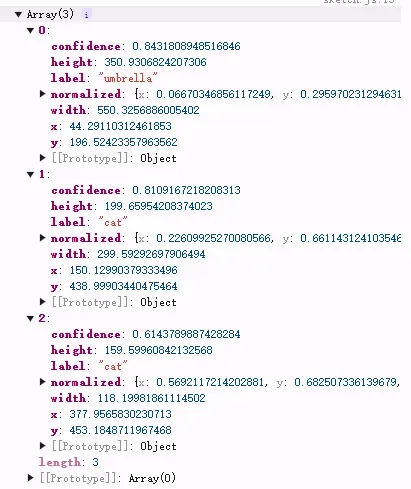
I start trying with the bowls, but it’s not working as I expected. Nothing is returned!
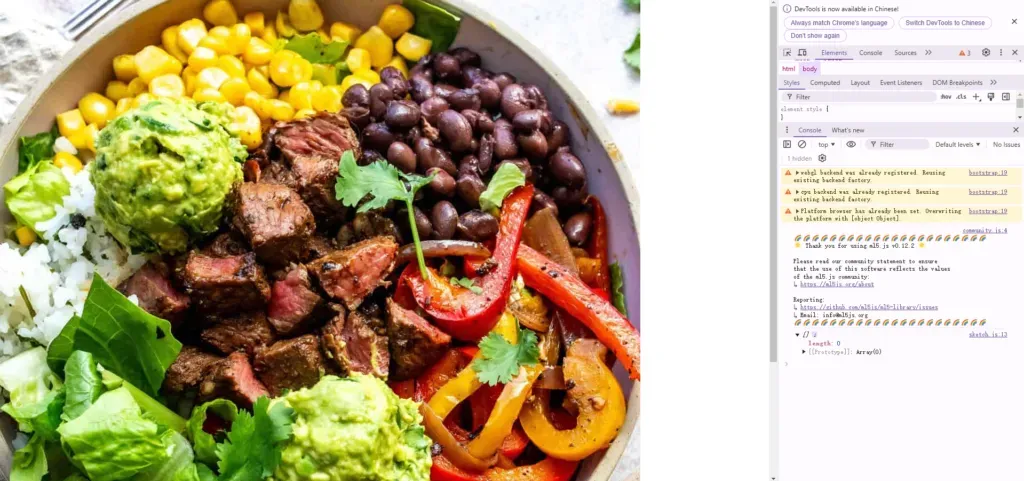
Maybe foods in a bowl is not that common, especially avocado.
https://cocodataset.org/#explore
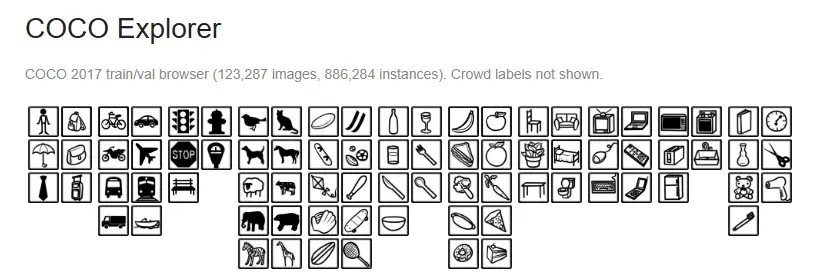
In this way, we will have to train a model that classifies avocado or not.
Second Attempt: Image Classifier
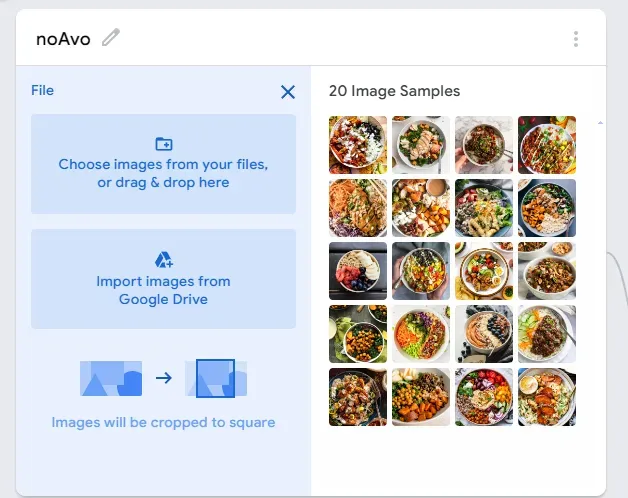
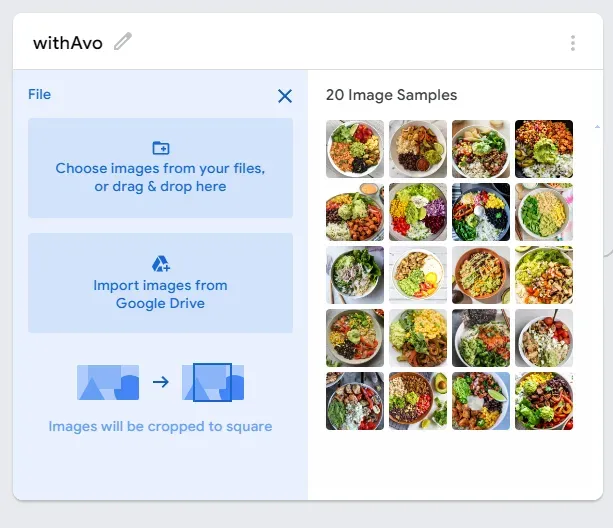
When searching for a training set for withAvo, I try to choose smashed avocado because, for the machine, even though both sliced and smashed are avocado, they look visually different. So, they count as two different classifications.
Result
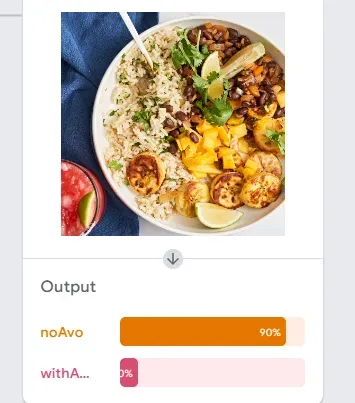
noAvo bowl 1 (not much green) → correct √
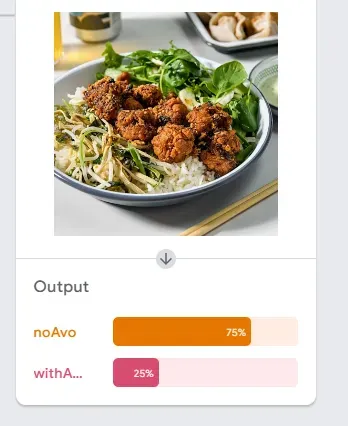
noAvo bowl 2 (many green) → correct √
noAvo bowl 3 (lots of green) → wrong ×
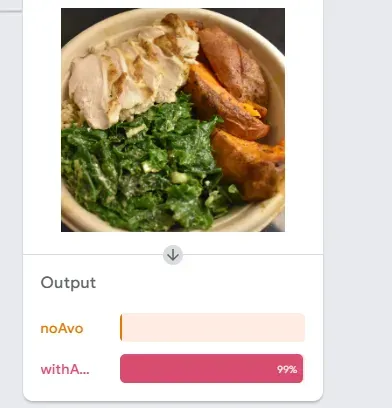
This is probably because the sause and the leafs together looks sticky and the light reflection might be mistaken by the light greenish avocado color. (Why am I justifying for a machine tho?)
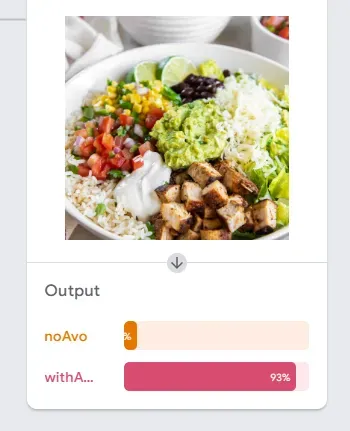
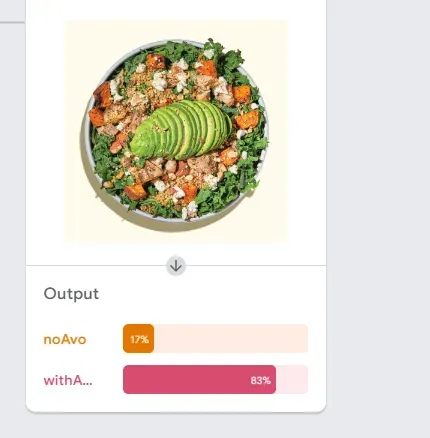
Avo bowl 1 (smashed) → correct √
Avo bowl 2 (sliced) → correct √
<img src=”https://raw.githubusercontent.com/n3xta/image-
Avo bowl 3 (My own Crave bowl) → wrong ×
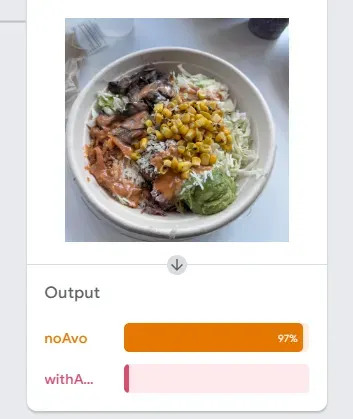
I honestly don’t know why. Maybe this implies that Crave should give me an extra spoon of avocado so it can be identified.
Model
“`
<div>Teachable Machine Image Model</div>
<button type=”button” onclick=”init()”>Start</button>
<div id=”webcam-container”></div>
<div id=”label-container”></div>
<script src=”https://cdn.jsdelivr.net/npm/@tensorflow/tfjs@latest/dist/tf.min.js”></script>
<script src=”https://cdn.jsdelivr.net/npm/@teachablemachine/image@latest/dist/teachablemachine-image.min.js”></script>
<script type=”text/javascript”>
const URL = “https://teachablemachine.withgoogle.com/models/vHzB1mr1s/”;
let model, webcam, labelContainer, maxPredictions;
// Load the image model and setup the webcam
async function init() {
const modelURL = URL + “model.json”;
const metadataURL = URL + “metadata.json”;
// load the model and metadata
// Refer to tmImage.loadFromFiles() in the API to support files from a file picker
// or files from your local hard drive
// Note: the pose library adds “tmImage” object to your window (window.tmImage)
model = await tmImage.load(modelURL, metadataURL);
maxPredictions = model.getTotalClasses();
// Convenience function to setup a webcam
const flip = true; // whether to flip the webcam
webcam = new tmImage.Webcam(200, 200, flip); // width, height, flip
await webcam.setup(); // request access to the webcam
await webcam.play();
window.requestAnimationFrame(loop);
// append elements to the DOM
document.getElementById(“webcam-container”).appendChild(webcam.canvas);
labelContainer = document.getElementById(“label-container”);
for (let i = 0; i < maxPredictions; i++) { // and class labels
labelContainer.appendChild(document.createElement(“div”));
}
}
async function loop() {
webcam.update(); // update the webcam frame
await predict();
window.requestAnimationFrame(loop);
}
// run the webcam image through the image model
async function predict() {
// predict can take in an image, video or canvas html element
const prediction = await model.predict(webcam.canvas);
for (let i = 0; i < maxPredictions; i++) {
const classPrediction =
prediction[i].className + “: ” + prediction[i].probability.toFixed(2);
labelContainer.childNodes[i].innerHTML = classPrediction;
}
}
</script>
“`