Timer → Canvas Patcher
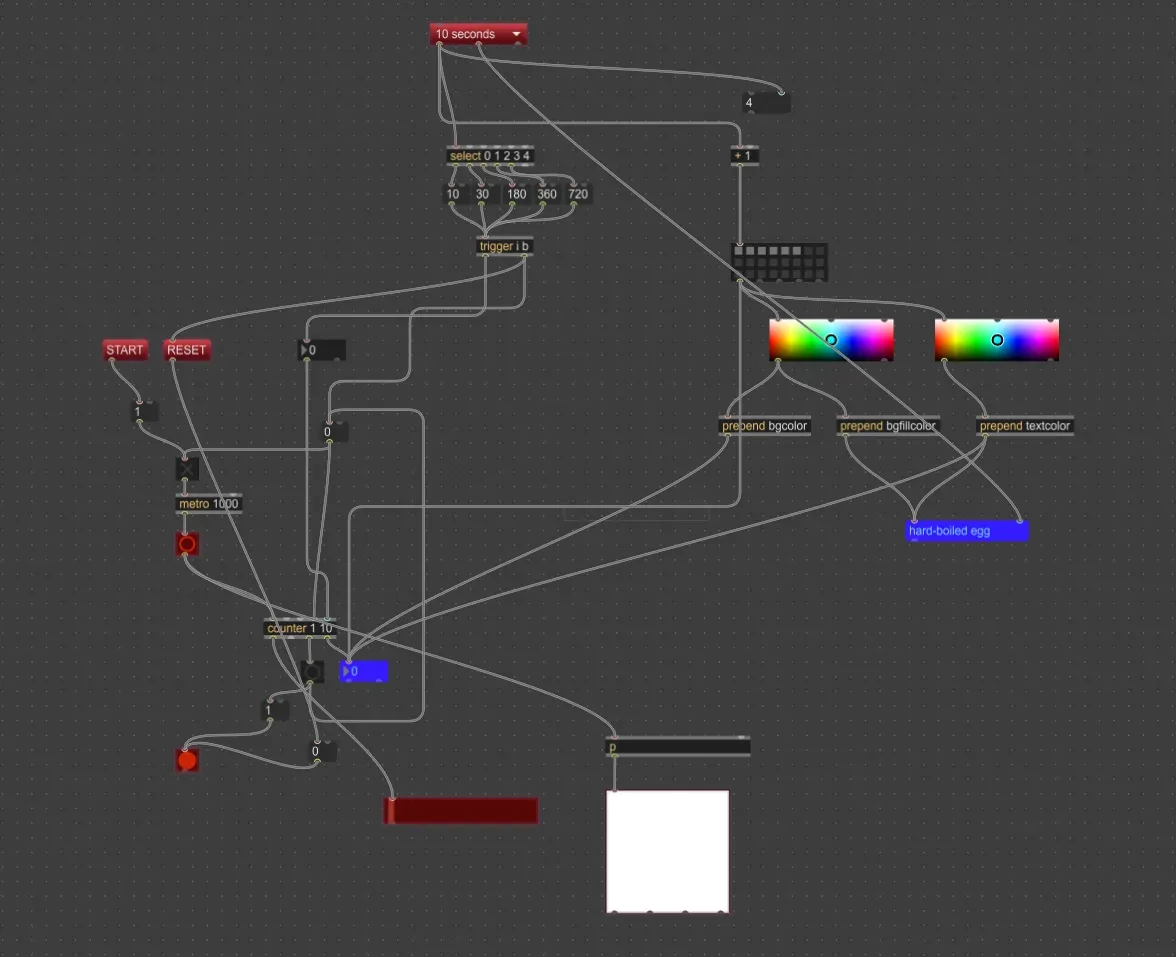
Presentation Mode
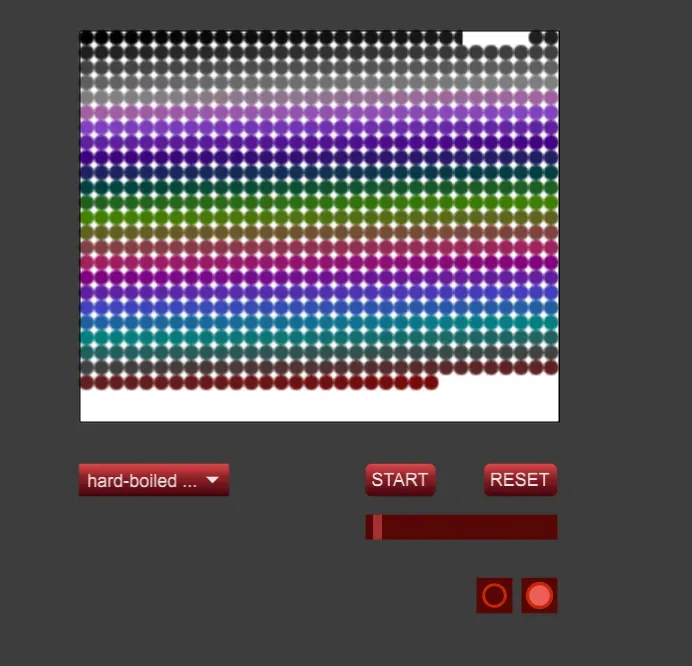
Patcher
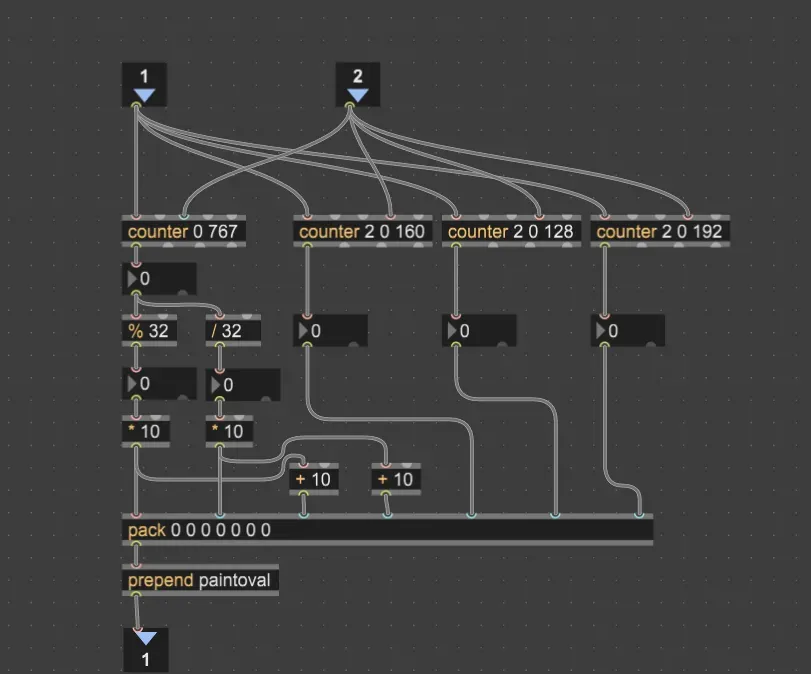
Sub Patcher
Video
Notes
My idea was to use Max for some visual effects, with the timer basically acting like a brush. I tried using paintoval (ref: A question about paintoval message to the lcd object - MaxMSP Forum | Cycling ’74) to draw onto an lcd node, each time it drops a small circle. If you noticed the slider, I originally wanted to split its range evenly with some math, but Max’s handling of integers vs floats wasn’t great. Eventually I realized I could just use the lcd canvas to get the effect I wanted.
At the core of this patch is really just the counter.
The counter object is somewhat unusual in that it can accept a variable number of arguments:
- If you have one argument, it sets the maximum value of the counter.
- If you have two arguments, they set the minimum and maximum values of the counter.
- If you have three arguments, they set the direction, minimum and maximum values of the counter.
Four different counter objects are used in this patch; one to set the drawing location and size, and three others to change the color. Understanding the leftmost counter is the most important: it counts from 0 to 767, giving us 768 steps total. The drawing X/Y location is calculated with the modulo and division objects, breaking up our lcd object into a 32 x 32 grid. If we look at the output of the counter and the % and / objects, we can see that the system works by creating two loops from 0 to 31, one going quickly (from the % object) and the other incrementing each time the first loop has repeated (the / object). The values are multiplied by 10 (to get the pixel location for the top-left corner of the shape), then have 10 added (to get the pixel location for the bottom-right). This sets up a lcd-filling grid of circles for our program to draw.