Running Late
Showcase first!!
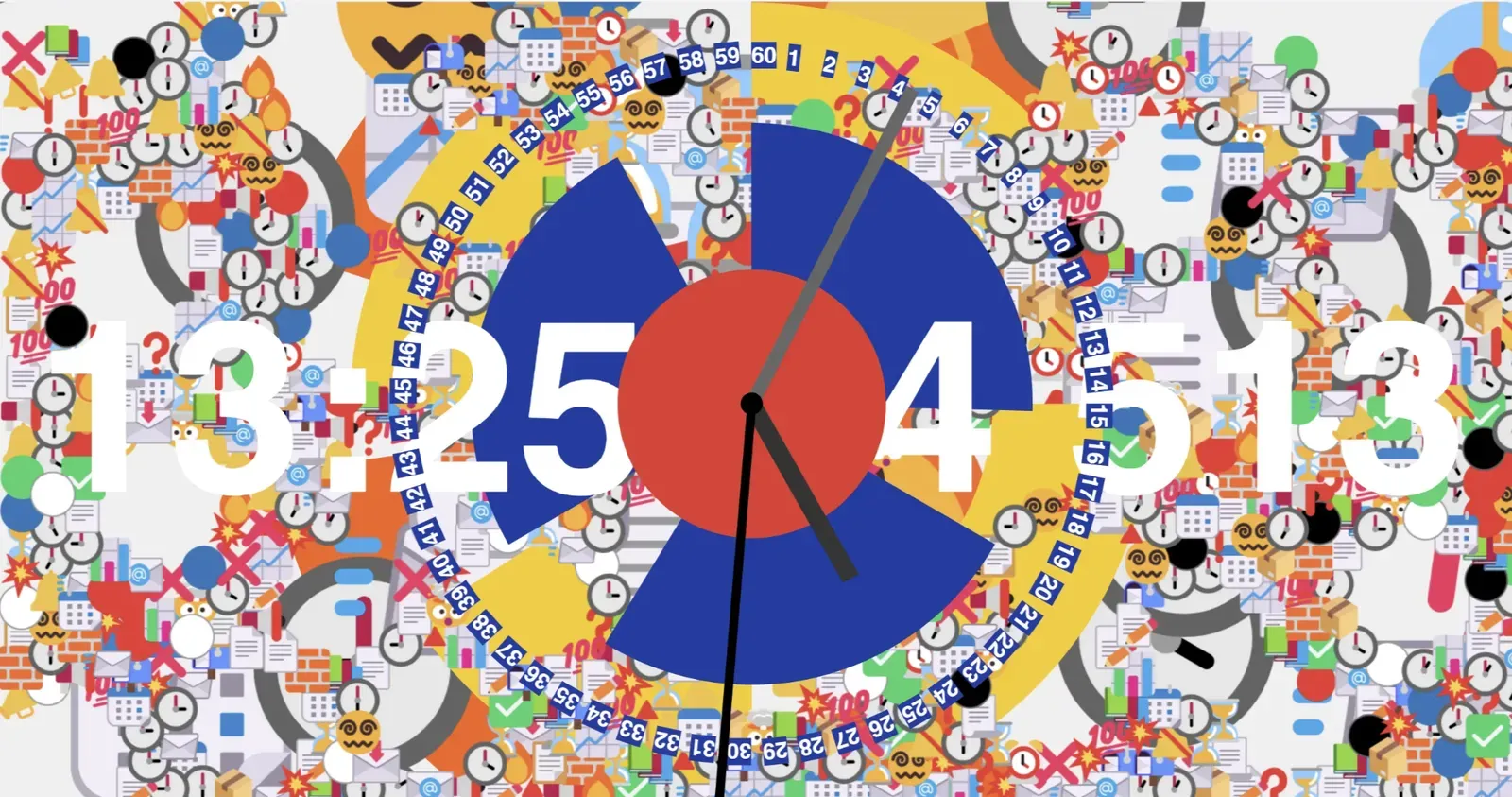
Questions for Critique:
-
It’s not anxiety-inducing enough:
- A full screen visual for every second passed?
- Faster?
- Ring spinning?
-
Assets:
- I want to shift away from emojis…
- I have A LOT to say. Words? Text?
-
I gave up on the MTA idea but:
- How can I prompt users to notice the MTA color palette
Inspirations
When I searched for “time” on my Twitter alt (which is my diary, junkyard, and bookmark folder), all the results were: “I’m out of time,” “There’s never enough time.” I realized that, to me, time feels urgent, scarce, and anxiety-inducing.
On Tuesday night, I had a terrible bout of insomnia. I didn’t sleep at all. At first, I just lay in bed, trying to force myself to sleep. After two or three hours of lying there with music playing, I gave up, got up, and started jotting down ideas for projects. Somewhere in between, I saw the sunrise after the snowstorm. It was breathtaking. The sky slowly fading into pale blue through the haze, and Brooklyn looked like it had been dipped in a winter fairytale. Anyways after a whole night without sleep, I came to this conclusion: “If only humans didn’t need sleep. Then I could have the full 24 hours to do everything I want to learn and create.” My friends absolutely roasted me for saying that.
My Keywords:
- stacking
- running out of time
- pressure
- falling and piling up…
These are the two main references that deeply resonate with me:
This Clock. This project captivates me because it truly captures the feeling of time flowing. Unlike “anxiety” or “stacking up,” it evokes a sense of time slipping away, uncontrollable and fleeting. If I had a vertical side screen, I’d absolutely make it my lock screen.
Dear Data. I just discovered this project a few days ago. Each week, the creators pick a data visualization theme and design a postcard: the front shows the visual representation, and the back explains how to read it. I find these visuals incredibly inspiring. Just from looking at their postcard designs, I’ve already sparked a ton of new ideas.
Technical Sketch:
I plan to use Matter.js to create a stacking effect, which will serve as a visual metaphor for anxiety(time piling up, pressuring, and weighing down).
Additionally, I’ll alter the behavior of the clock hands:
- Hour hand → Minute hand
- Minute hand → Second hand
This means everything will move faster than it’s supposed to, so the clock can intensify the sense of urgency and time slipping away.
Process
Fast Forward
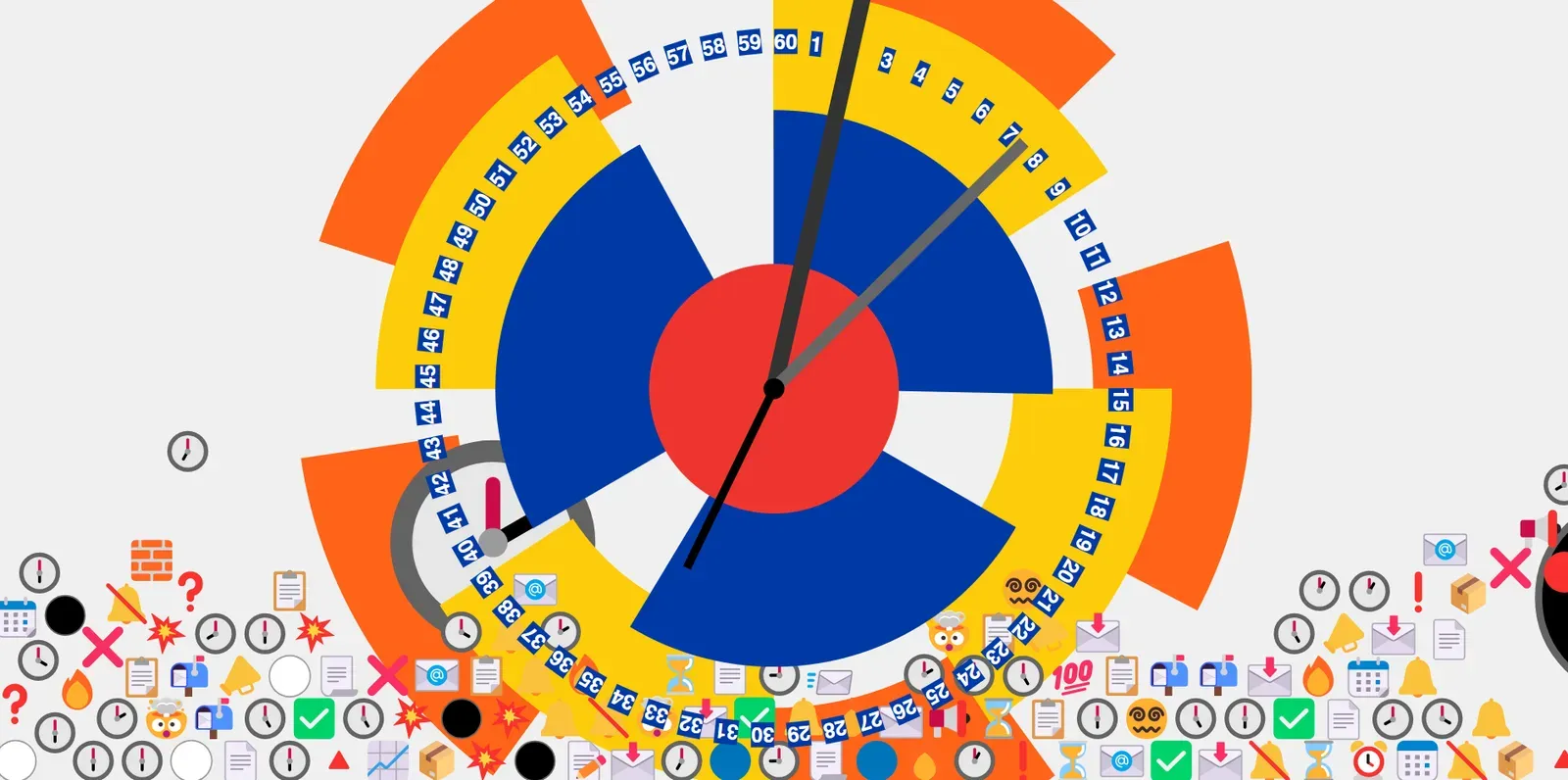
The first thing I tried to make is a fast forward clock. The hour hand moves at the original speed of the minute hand (0.1° per second), the minute hand moves at the original speed of the second hand (6° per second), and the second hand moves at a speed of 360° per second.
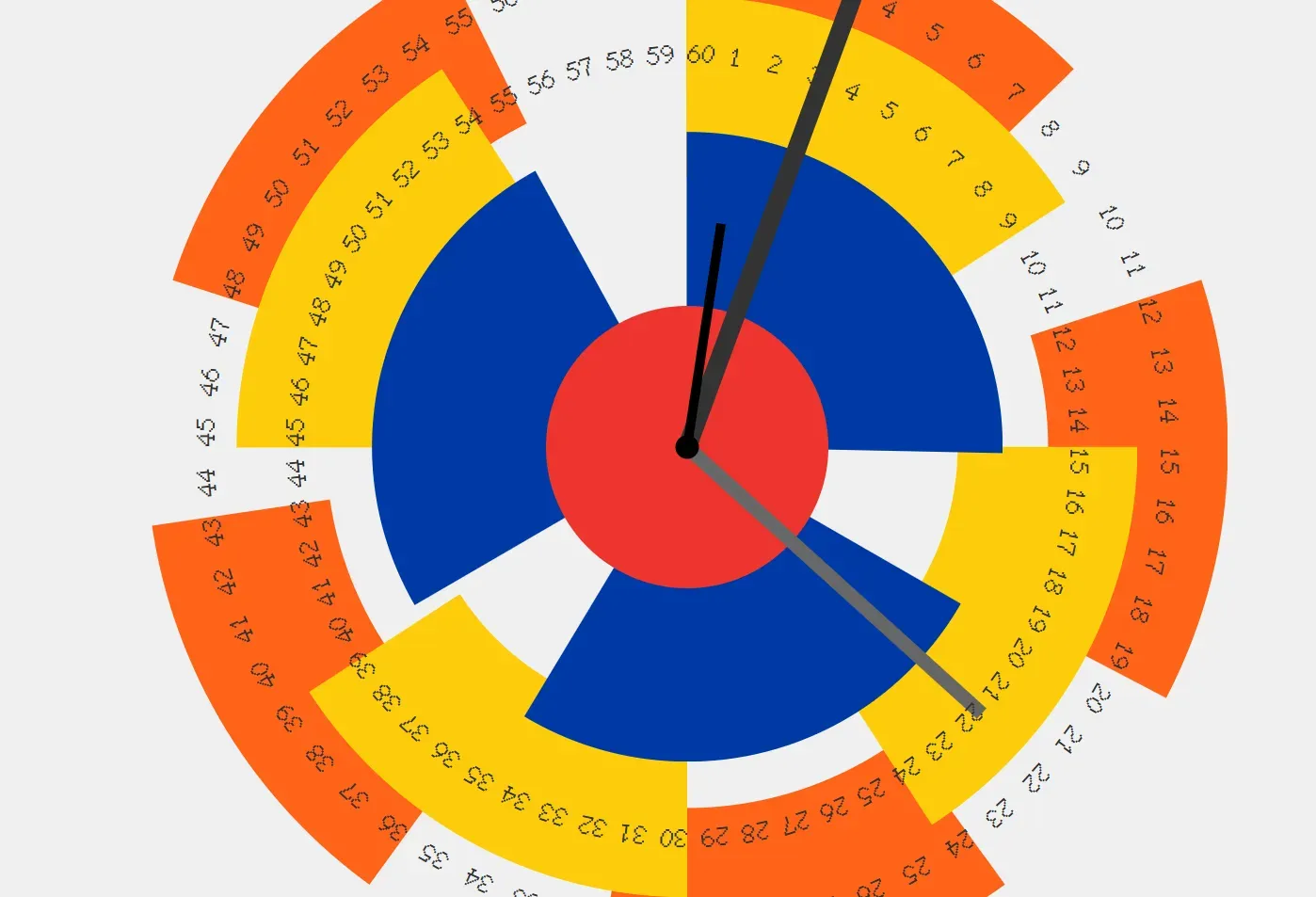
To preserve the sense of urgency while still allowing time to be readable, I’m shifting to a concentric circle design inspired by this visual:
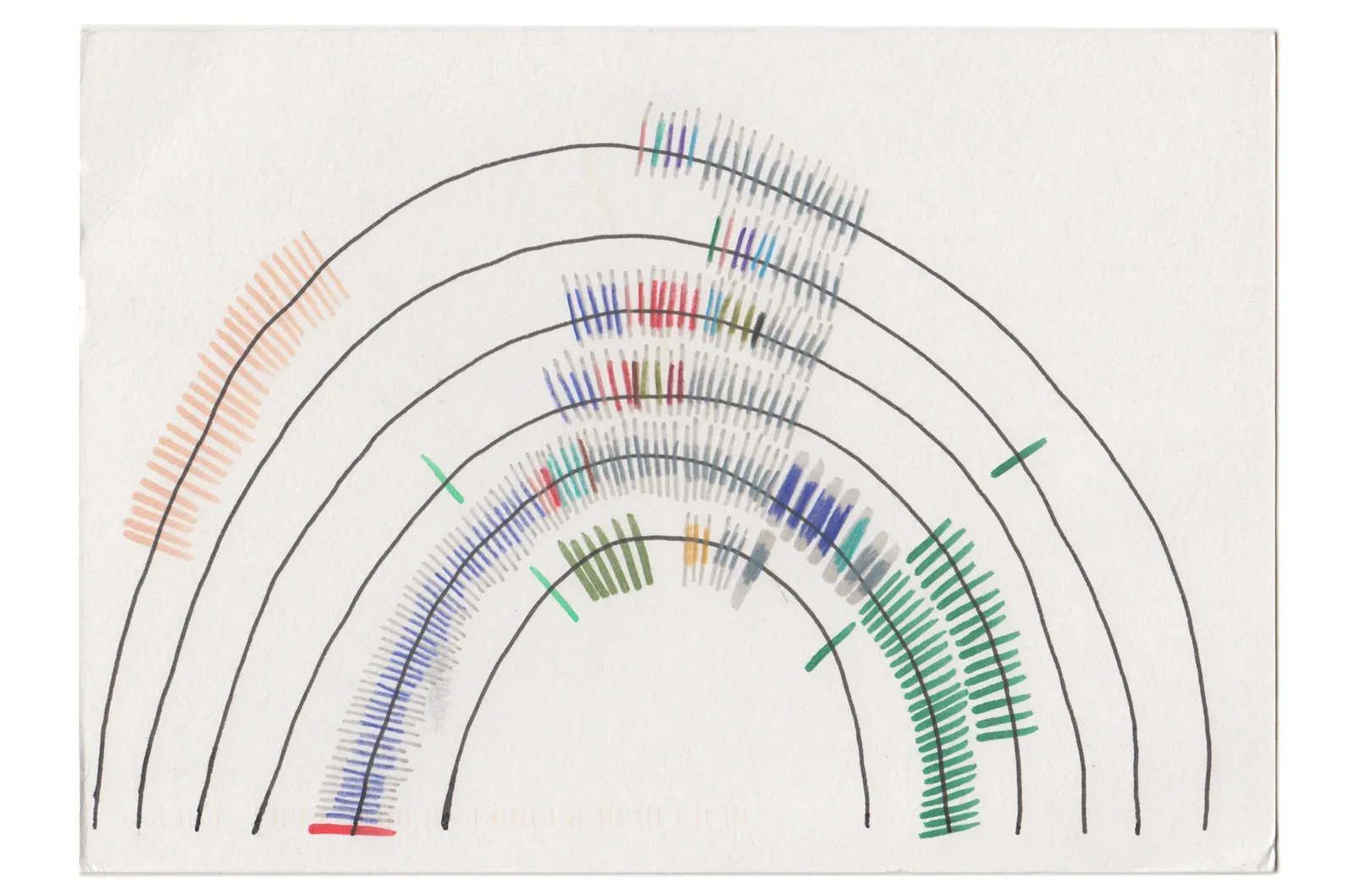
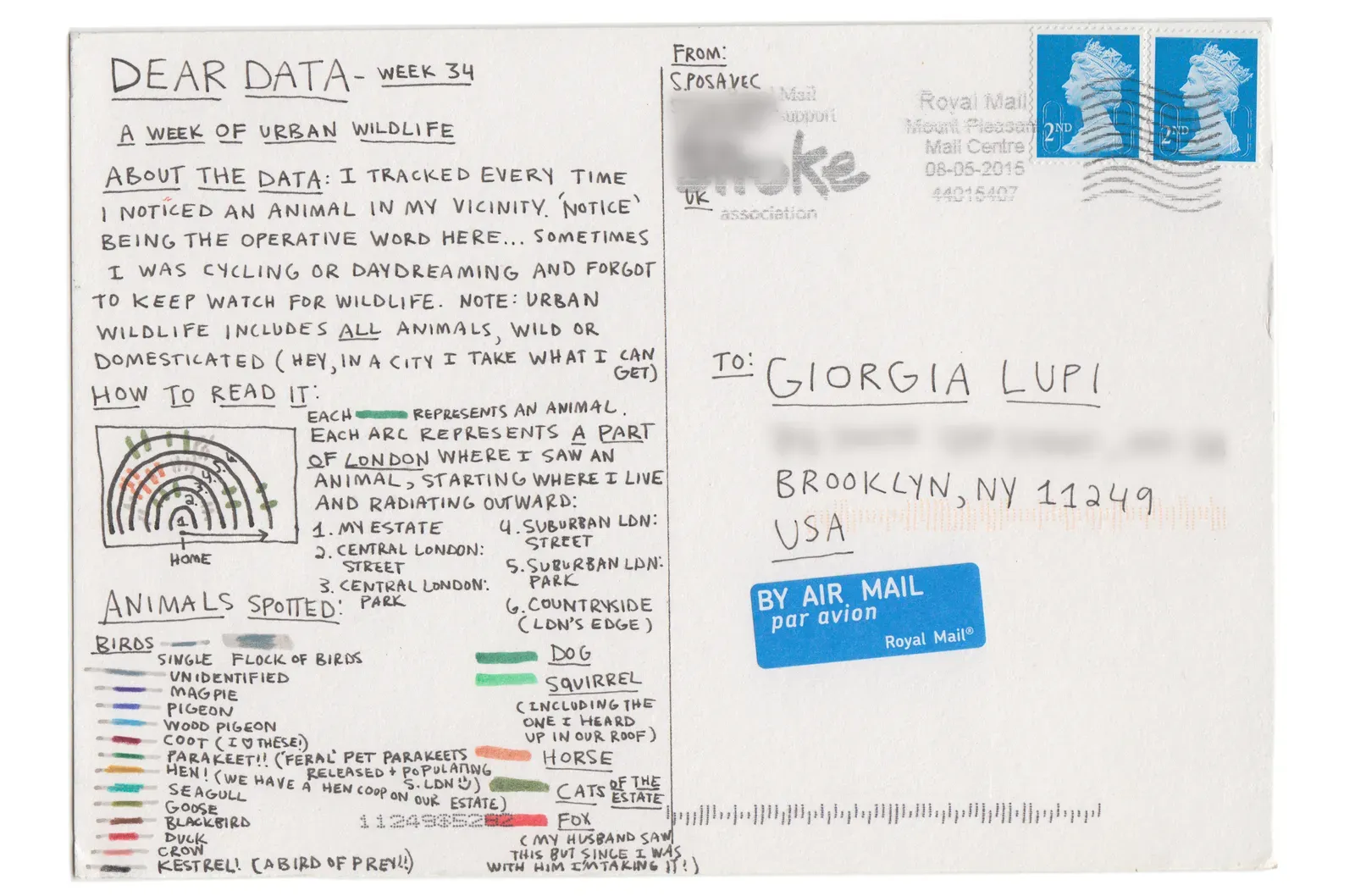
Multi-layered Concentric Circles!!
- Outer Circle: Represents the hour hand, rotating once per hour (marked from 0–59 to read minutes, using the largest ring).
- Middle Circle: Represents the minute hand, rotating once per minute (marked from 0–59 for seconds, on a smaller ring).
- Inner Circle: Represents the second hand, rotating once per second. Simply act as a purely visual pulse.
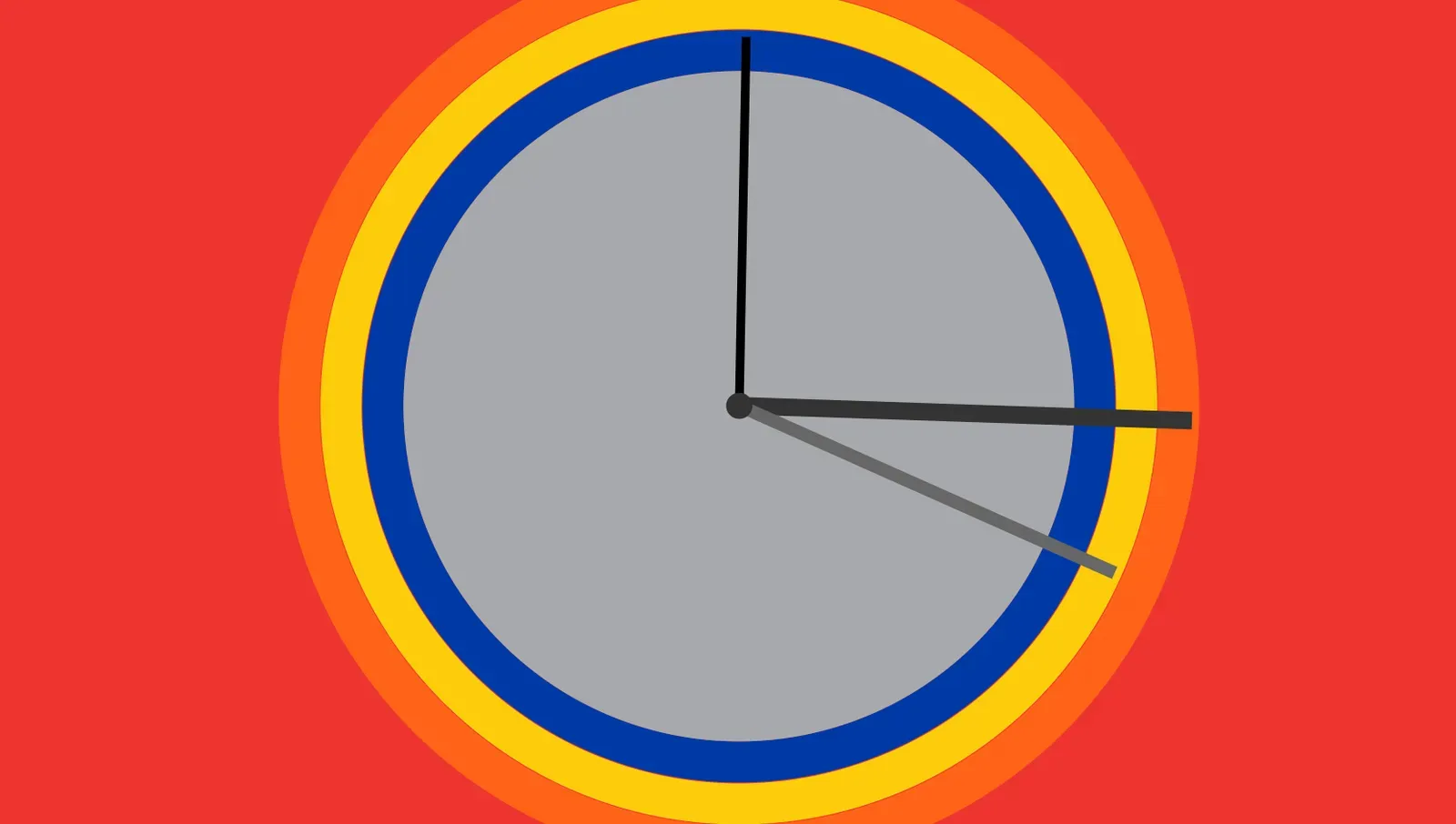
I’ll be using this palette:
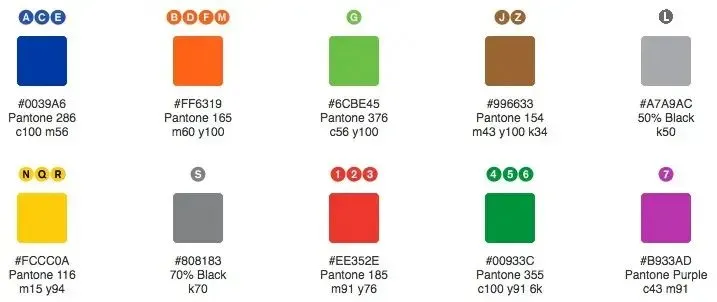
Even though I’ve abandoned the subway visualization, I want to retain elements of the NYC subway. It’s a powerful symbol of efficiency and speed, which still fits the theme.
Wind turbines:
For the layered, dashed lines, I’m referencing this MDN resource:
This is the main visual style after adjusting the design. I love the layered, stacked aesthetic. It really embodies the feeling of time accumulating and compressing.
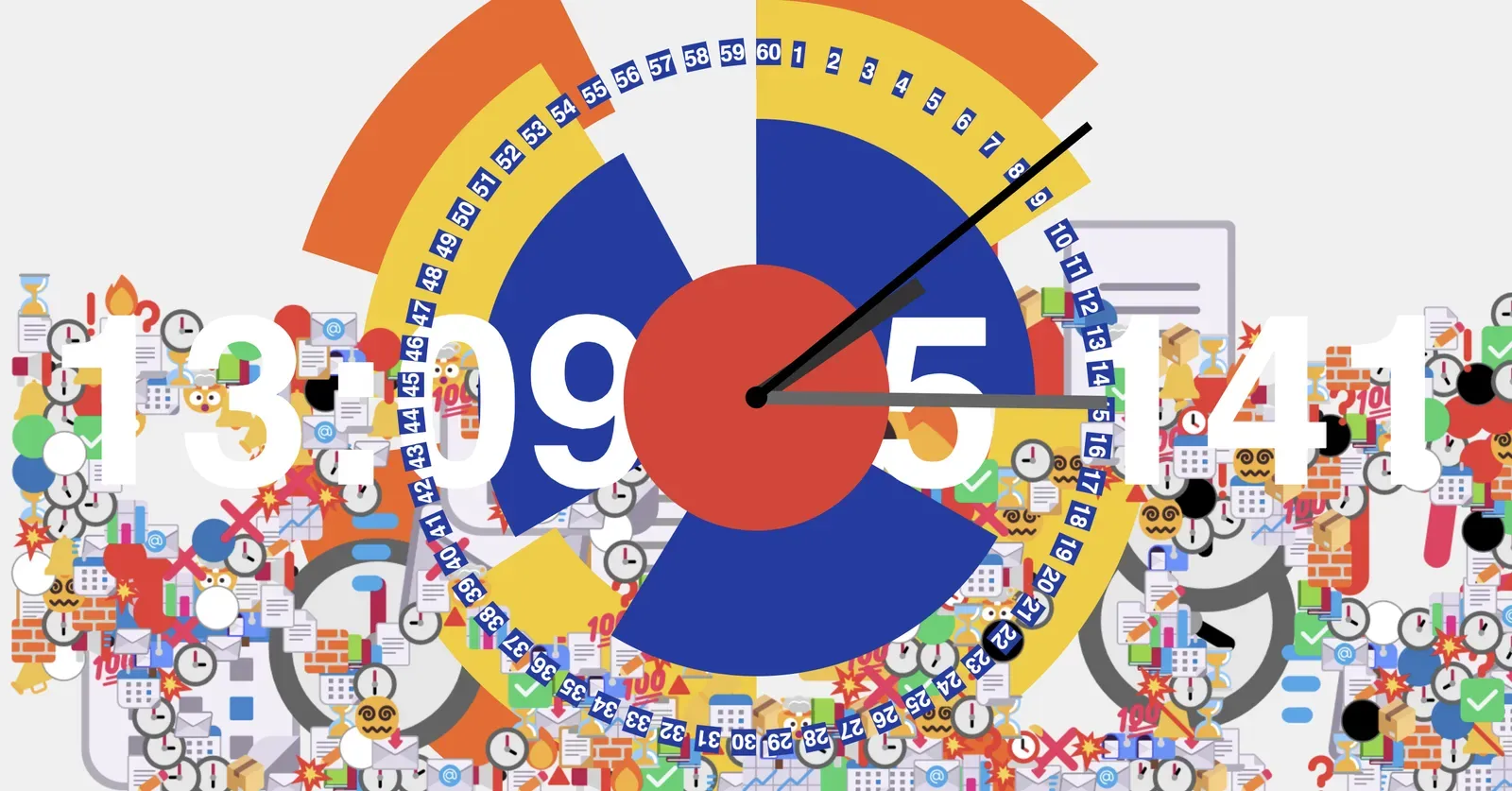
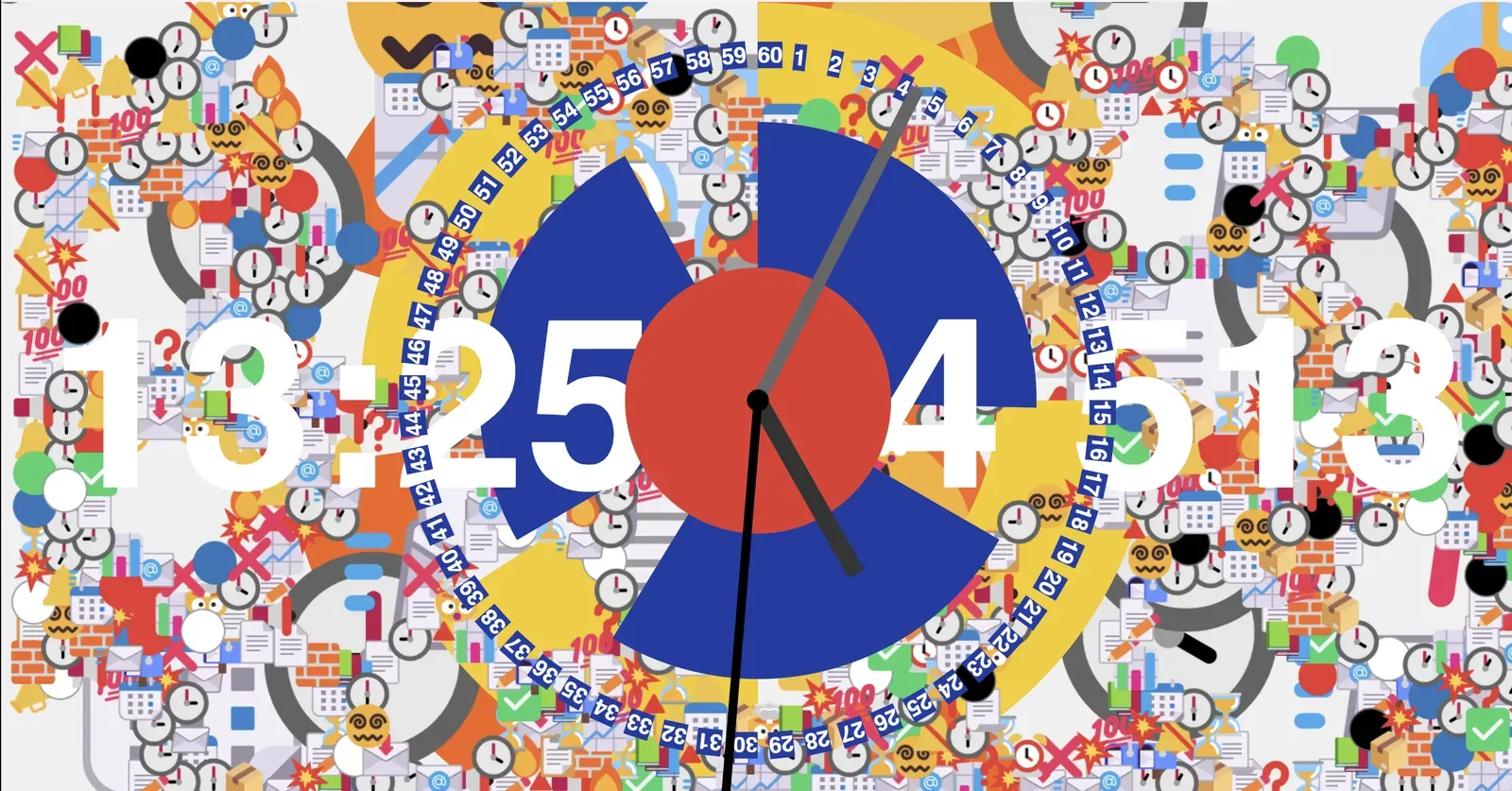
Emoji Stacking
⏰ ⏲ ⏳ ⌛ ⏱ 🕰
🕐 🕑 🕒 🕓 🕔 🕕 🕖 🕗 🕘
📅 📆 🗓 📊 📈 🗒
💯 ⚪ ⚫ 🔴 🟢 🔵
🔔 🔕 🔔🔔 🔔‼ 📣 📢
📬 📩 📧 📨
📋 📝 📃 📄 🗒
✅ ☑ ❌ ❗ ⚠
📚 🗂 🗄 📦 🧱 🔺
💥 🤯 😵💫 🔥 🏚
Every second, call dropSmallEmoji() to spawn a small emoji (radius: 15) on layer z=6. Every 60,000 milliseconds (1 minute), call dropBigEmoji() to spawn a large emoji (radius: 30) on layer z=2. Use different canvases for rendering each layer & adjust font size based on the emoji’s size property.
Physics Handling:
Matter.js will automatically simulate the emoji’s behavior (falling, bouncing, and stacking) according to the physics settings:
- Gravity: Controls how fast emojis fall.
- Restitution (Bounce): Determines how “bouncy” the emojis are on impact.
- Friction: Controls how they slide and stack when they collide.